
Regular License
$138.00
- Quality checked by ZeroSoft
- Future updates included
- 6 months support from ZeroSoft Tools
- Clean, documented code
Everything you need
Packed with features that make a real difference to your store
Simple multi-step checkout (1–3 steps)
Show / hide checkout fields
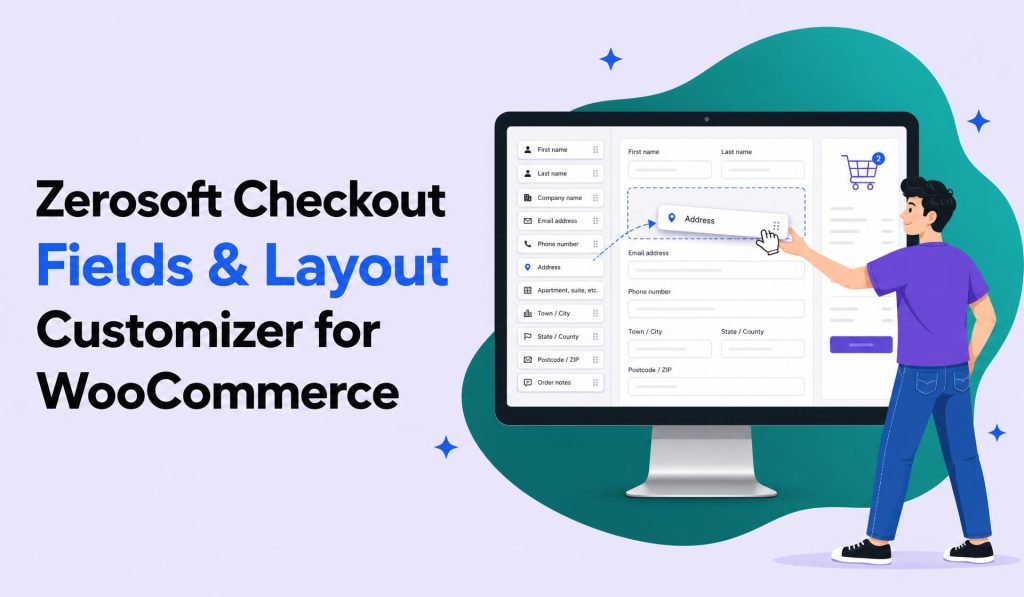
Reorder fields with drag & drop
Edit field labels and placeholders
Horizontal & Arrow layout styles
Inline validation (required, email, phone)
Order summary sidebar support
Accent color & button style options
Global custom CSS support
Advanced field types (Select, Checkbox, Radio, Date/Time, File upload) Pro
Conditional logic — show/hide fields dynamically Pro
Advanced validation rules (regex, patterns, custom messages) Pro
Unlimited steps with step validation Pro
Advanced layouts (accordion, progress bar) Pro
Free vs Pro
Start free, upgrade when you're ready
Free
₹0 forever
- Simple multi-step checkout (1–3 steps)
- Show / hide checkout fields
- Reorder fields with drag & drop
- Edit field labels and placeholders
- Horizontal & Arrow layout styles
- Inline validation (required, email, phone)
- Order summary sidebar support
- Accent color & button style options
- Global custom CSS support
Most Popular
Pro
$138.00 one-time
- Everything in Free
- Advanced field types (Select, Checkbox, Radio, Date/Time, File upload)
- Conditional logic — show/hide fields dynamically
- Advanced validation rules (regex, patterns, custom messages)
- Unlimited steps with step validation
- Advanced layouts (accordion, progress bar)
Requirements
Make sure your server meets these before installing
WordPress
WordPress Requirement: WordPress 5.8+
PHP
PHP Requirement: PHP 7.4+
Installation
Up and running in under 2 minutes
1
Download
Download the plugin ZIP from this page or your account dashboard.
2
Upload
Go to WordPress Admin → Plugins → Add New → Upload Plugin.
3
Activate
Select the ZIP file and click Install Now, then Activate.
4
Configure
Find "Checkout Fields & Layout Customizer" in your WordPress admin sidebar. Use the Fields, Layout & UI, Delivery, Payment, and Style tabs to configure your checkout.
Frequently asked questions
Have more questions? Email us at info@zerosofttech.com
Yes. WooCommerce must be installed and active for the plugin to work.
It is designed for the classic WooCommerce checkout (shortcode-based). Compatibility may vary by theme, so testing is recommended.
No. This plugin works with the classic WooCommerce checkout shortcode only, not the block-based checkout.
Yes. You can configure up to 3 steps in the free version. Pro unlocks unlimited steps with advanced step validation.
Plugin data is removed only when the plugin is uninstalled — not when it is simply deactivated.
Absolutely. Download the free version and test it on your store. Upgrade to Pro whenever you need advanced features.


Ready to get started?
Join store owners already using Zerosoft Checkout Fields & Layout Customizer for WooCommerce